The software support conversion of only accessible healthy EML files.
"The software will simplify your conversion from Apple Mail to MS Outlook for Windows, Thunderbird to Outlook and several other EML supportive Email
Clients to MS Outlook. It offers unlimited data conversion assurance."

To perfectly convert EML files to MSG in bulk
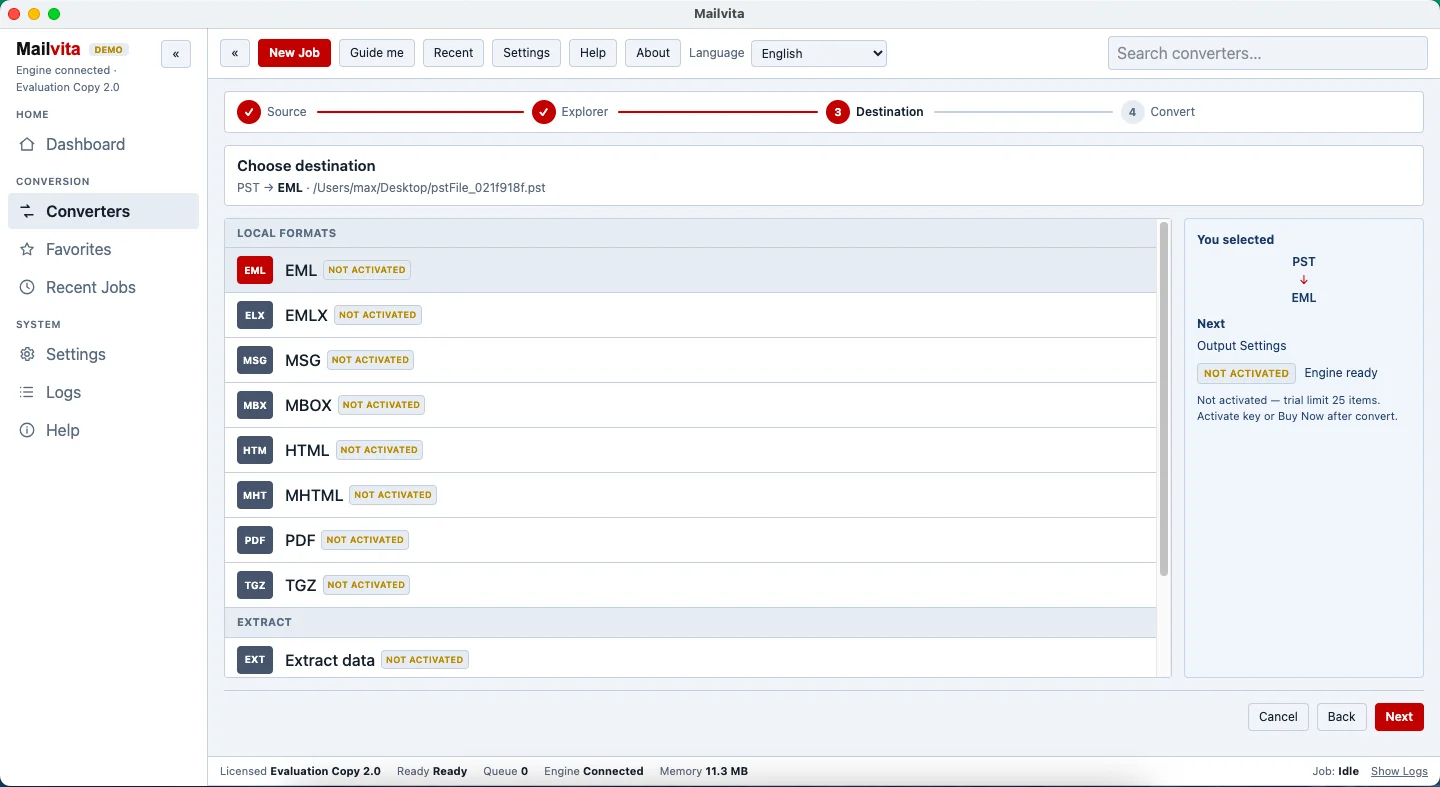
Whenever you wish to export EML data files into MSG format in bulk mode, you have to make a choice of an automated solution wisely. To successfully and seamlessly export EML data items into MSG file format on Mac OS, you can try Mailvita EML to MSG Converter for Mac. It is a well-versed program that suitably works with all platform EML files to convert them into MSG format without any supported email client.

To migrate from EML-Supported clients to Outlook
Migration from EML-based email clients such as Thunderbird or Apple Mail to Outlook arises the need to convert EML emails into MSG file format. To accomplish this conversion, there is a need for a reliable solution. You can simply take the help of Mailvita EML 2 MSG Converter for Mac Software which possesses all features to complete the conversion task without any errors.

Due to the absence of trusted manual ways
You can’t perform EML mailbox to MSG conversion on Mac in a flawless manner with manual solutions. Hence, many users avoid manual ways as they may harm the database. But by using Mailvita EML to MSG Converter for Mac Program, you can conveniently export unlimited EML data files into Outlook MSG file format. This is one of the most recommended solutions by experts.
Convert EML to MSG Bulk, Save Converted Data & Simple to Use.
EML file doesn’t containcontacts and tasks whereas MSG file
contains all contacts and tasks. Moreover, MSG file format is
supported many email clientslike Microsoft Outlook, SeaMonkey
etc.MSG file is supported to all Operating systems.


Several awards are win by EML to MSG converter for Mac tool due to its advanced features. The development team has shown their efforts and hard work in this application.
EML to MSG Converter for Macis the excellent utility for export of EML
files to MSG file format. The quick utility is simple to operate and handle.
No changes will be made in EML file and their content during conversion.
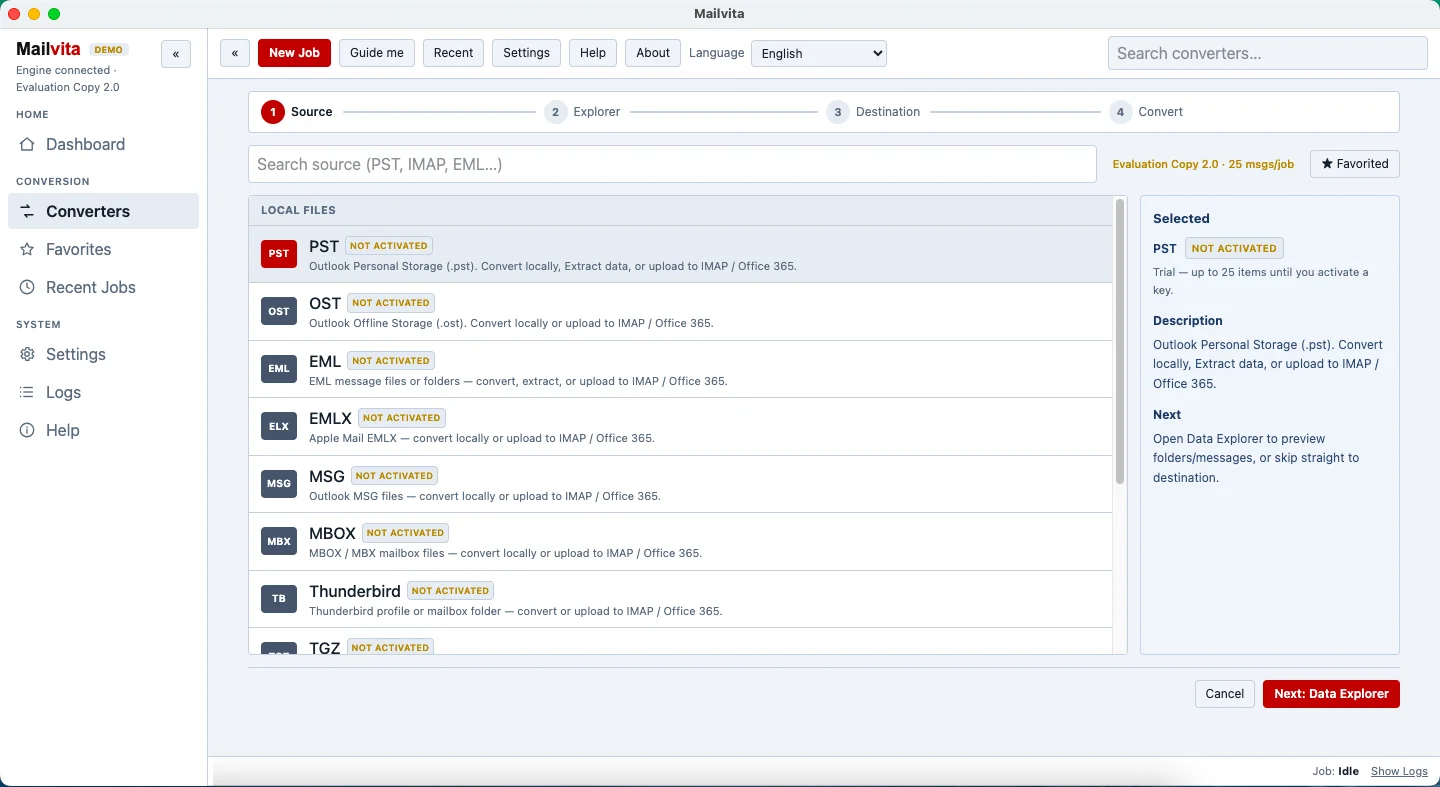
You need to follow only 3-4 steps for the required conversion. The free trial
version is provided to check the key functioning of the software.
Running the advanced application alone is not difficult. It doesn't need technical help to export data. Users with basic computer skills can become proficient in operating EML to MSG converter.
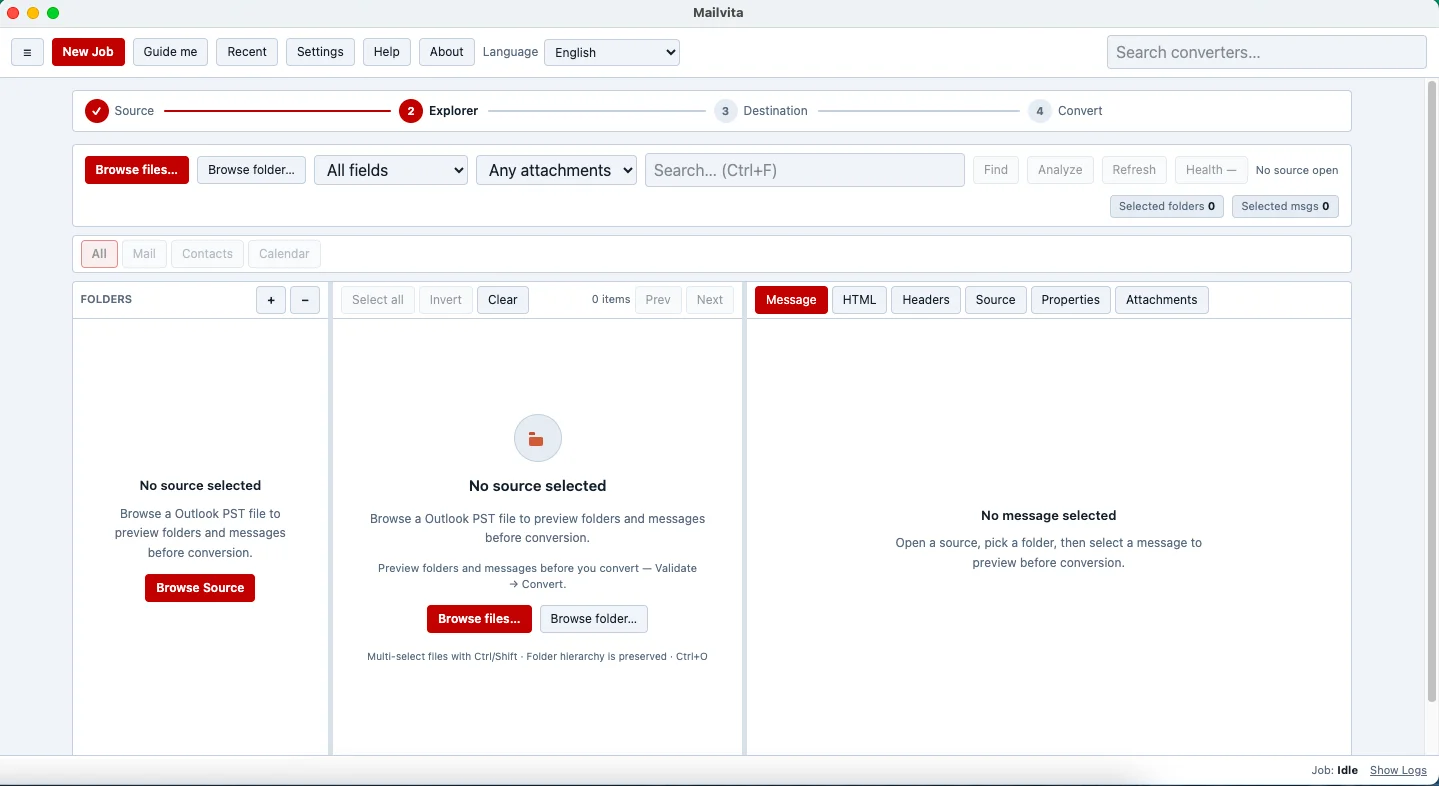
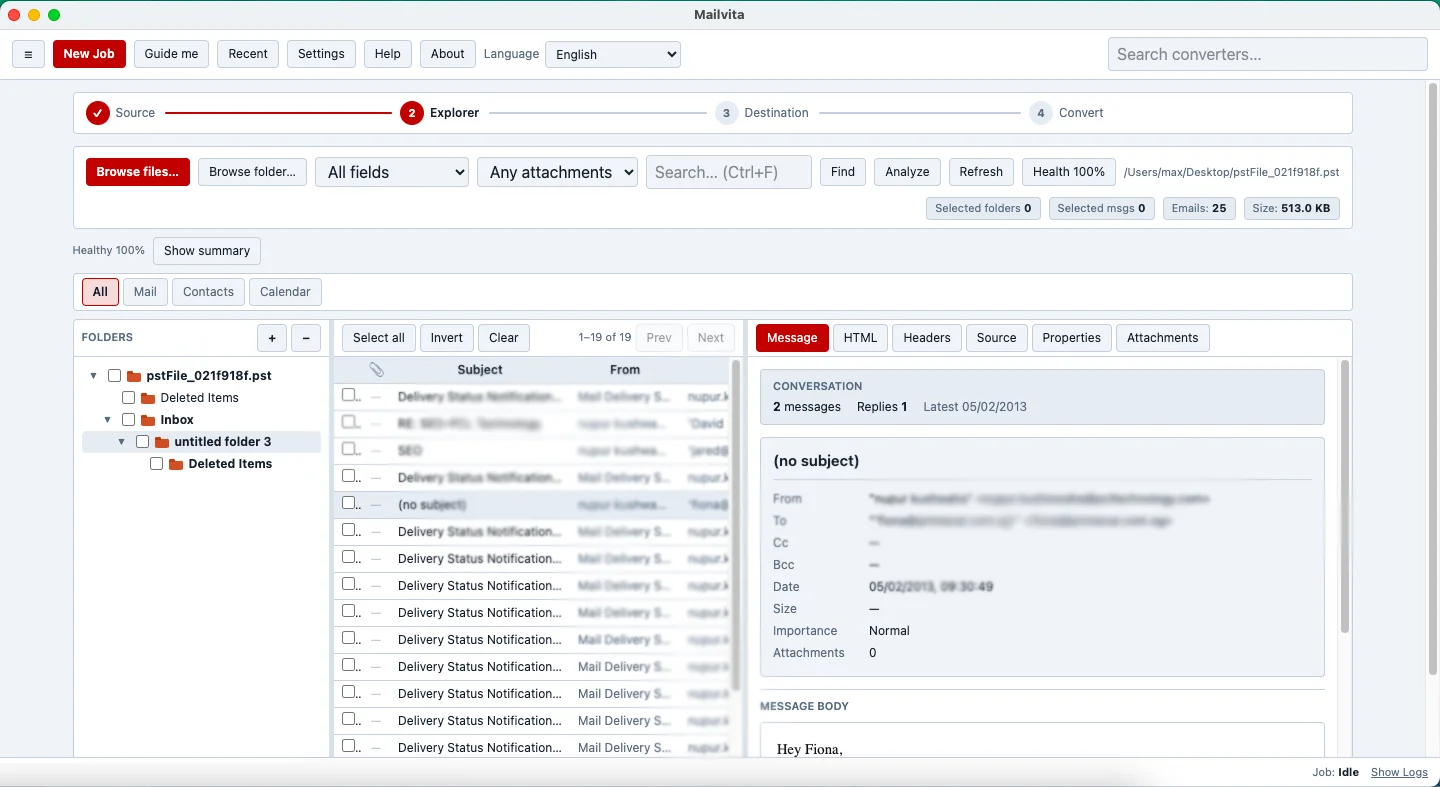
With this converter users can convert specified EML files readily. The tool has browse button to explore and select particular EML files to safely export into MSG. The utility scans and uploads the user's selected EML files.
Bulk migration assistance makes conversion fast and easy. Users have the freedom to select either one or more EML databases to convert data at once. This is an optimum feature of the app.
An EML file can be created in Apple Mail, Thunderbird and several other email clients. The software scans EML files, it doesn't matter which email client you are using. All big and small sized EML files are scanned and converted.
The EML to MSG converter takes no time to upload in your system. It is a lightweight program, occupied just a few MB and doesn't make any change in the system.
EML to MSG is a user-friendly app. You can buy it for personal or industrial use. The software is available in both versions with same data conversion capability. Download it today.
Available for Windows, macOS and Linux — including Intel Macs and Apple Silicon.
The software support conversion of only accessible healthy EML files.
Yes you can. It works smoothly.
It doesn't need any other tool support to migrate data.
It was a tough time when our entire unit is wondering to switch from Thunderbird to MS Outlook. Your app saved our money and time. The conversion was achieved so easily and rapidly.
I don't find myself stuck while exporting from EML to MSG. Your app really works.
I have used your EML to MSG Converter and felt its functionality superb in importing various EML files to MSG format. I was really impressed with the tool and its working. Thanks a lot, to the developers of the tool.