
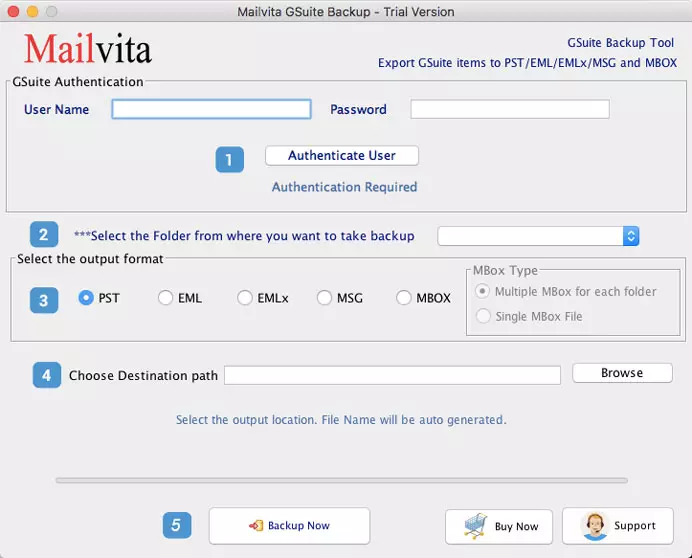
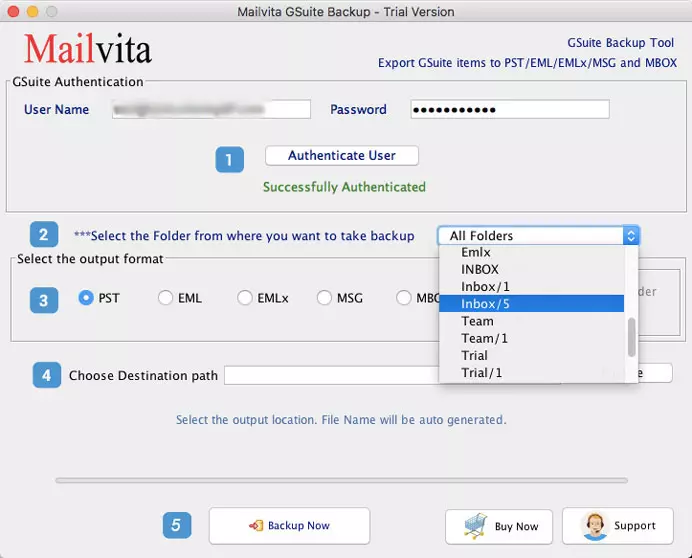
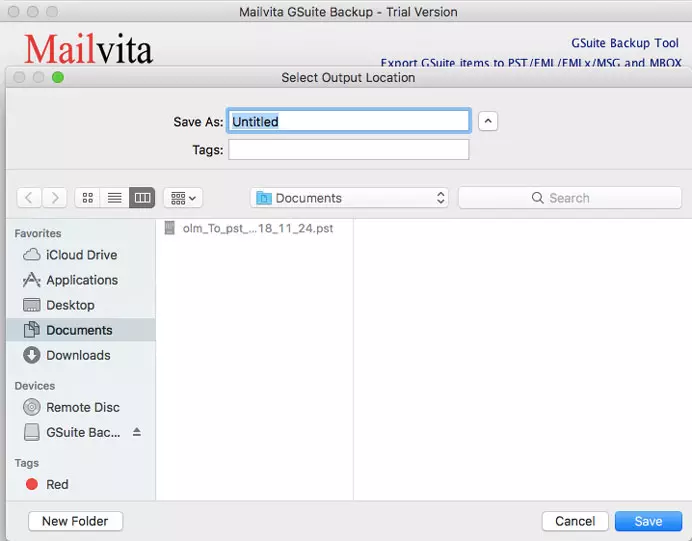
Once you take the license of the application, you can use it till you want.
"View your G Suite account data on several desktop-based email clients with the application to convert Google Apps to multiple file formats in an
untroubled manner. A swift and reliable tool leaving no stone unturned for backup."


Backup G Suite Emails into Multiple formats
To protect data from virus attacks, and accidental deletion, users prefer to save a local copy of G Suite mailbox items. To do so, users need Mailvita G Suite Backup for Mac Tool. It allows smart and instant backup of G Suite emails to many popular file formats such as PST, EML, MSG, MBOX, and EMLX. Keeping all attachments preserved, the software downloads copy of G Suite email items without any trouble.

To save data from Ransomware attacks
Ransomware attacks may lose all important data items of G Suite account. But you don’t need to worry if you have already downloaded G Suite email items on your local system. For downloading Google Workspace emails to the local system on Mac, one needs Mailvita Google Workspace Backup for Mac Software which permits direct & immediate export of G Suite emails on Mac system in multiple file formats.
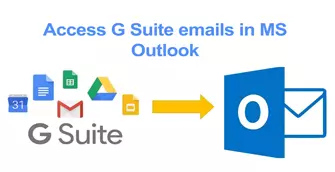
To Access G Suite emails in MS Outlook
Sometimes, users need to access emails of G Suite account in Outlook and this is directly not possible. But once you export G Suite emails into PST files, you can open G Suite email messages in Microsoft Outlook. To export G Suite email items into PST files, Mailvita G Suite Email Backup for Mac Tool helps you. It smoothly exports G Suite emails with attachments into Outlook PST file & other formats.
An independent utility to convert G Suite account data to many file formats – PST, EML, EMLX, MSG, & MBOX..
$49
Buy NowPersonal license is perfect for single user and small office or a Home user (Not for commercial use)*
$149
Buy NowBusiness License if for commercial use. If you are a company and looking for large number of users/clients then purchase business license.*
$499
Buy NowEnterprise License is available for multiple machines and unlimited users.
(A multi-site License).*
G Suite is a cloud-based application and there are likely more chances of
data loss due to online threats and viruses. With the backup facility, you
are able to save the important data of your G Suite account to your hard
drive and view the backup to desktop-based clients.


Several awards are gained by G Suite Backup utility due to its quick backup generation function without any trouble.
Google Apps Backup tool is one of the prominent applications by which a
user can comfortably view their G Suite important emails and attachments
into various email clients. The application is very simple to handle and provide
you results in a short time period without losing data integrity. The user has full
control over backup and 100% accuracy is gained.
The utility is so simple to handle by any novice user. It is an independent utility that can solely take the backup of G Suite account without any trouble and no interruption is there in handling the application.
The user has full freedom to convert some selected folders of G Suite account or to choose the entire folders. The users can perform the task as per their needs. The entire task is carried out in a safe manner.
There is no chance of inaccuracy. The user can perform the entire task with 100% reliability. No matter how many times the user chooses the tool, every time accuracy is achieved without any doubt.
Backup can be performed as per user desire. The user needs to provide only login details of the particular account to convert the data. Without proper account details, the task can’t be performed.
Google Apps Backup tool is one solution by which a user can export G Suite data into multiple formats – EML, EMLX, MSG, MBOX & PST format so that to view the data to desktop-based email clients.
The tool works smoothly and completes the conversion process in a short time period. No hurdles are faced in the entire process and no corruption is there in the process. Overall, you can simply trust the tool.
System Requirement
Operating System Mac OS X 10.8/10.09/10.10/10.11 & latest version of macOS.
Memory512 MB Minimum
Hard Disk512 MB of free space
Software Delivery
ElectronicYes
Minutes 15
Interface Available
Language Supported English
Support OptionEmails, Chat & Skype
Download Guides
Once you take the license of the application, you can use it till you want.
No, there is no need to use any additional application to convert G Suite database into PST and other formats also.
Yes, you can but one by one.
I would say a powerful and marvelous application. With G Suite backup utility, I have converted backup of my 5 G Suite accounts into PST formats without any trouble. Really a smooth application to handle.
Amazing application, no data loss, and error chances. Users must try it once. I have a wonderful experience with the tool. I have never found such a simplified tool ever. Great work by the team!
Magical tool! If I would rate it, I will give 5 out of 5 stars for the instant and accurate working of the application. This application saved my Google Apps important emails from online threats and I am feeling lucky to have this utility.

